The Cricut Explore has an updated design! With a new body case and cheaper price tag, the Cricut Explore 5 is out—but is it really an upgrade?
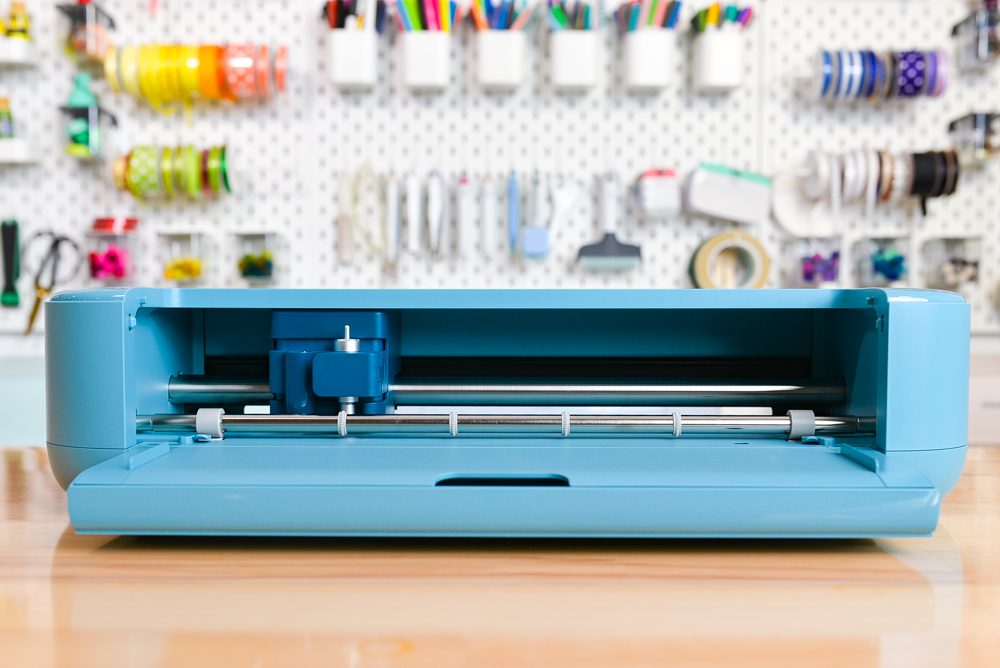
It’s time for another Cricut launch! This year, we got two new machines: Cricut Explore 5 and Cricut Joy 2. This is the first time the Explore line has had a major exterior redesign since it was launched in 2014. But are the changes worth upgrading?
In this post, I’ll walk you through the Cricut Explore 5, what’s new, what’s stayed the same, and whether it’s worth buying—especially if you already own an older Explore machine.
If you want to learn more about the Joy-sized option, check out my Cricut Joy 2 review. And if you want to compare all machines across the Cricut lineup, be sure to read my full Cricut machine comparison post.
Watch the Video
Want to watch my video review of the Cricut Explore 5? Just hit play below! Or keep reading for a written overview.
What’s in the Box
At some point you will be able to purchase the Cricut Explore 5 machine on its own for $199 (which is $50 less than the Explore 4 at launch). But most crafters will likely opt for the Essentials Bundle at $249, which is what is currently on sale at Cricut.com and what I purchased at Michaels.
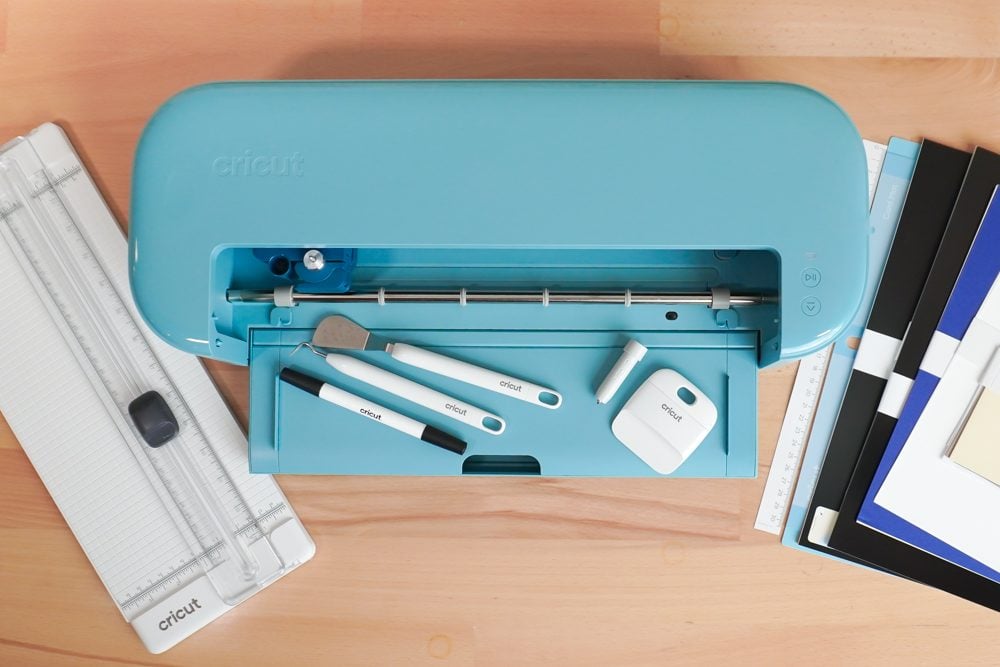
My Essentials Bundle included:
- Cricut Explore 5 machine
- Fine point blade*
- Scoring tool
- Black dual-tip pen/marker (0.4mm & 1.0mm)
- Blue LightGrip cutting mat
- Cricut Card Mat (for two cards)
- Power adapter
- Portable Trimmer
- Weeding tool
- Scraper
- Spatula
- 12″ Paper Ruler
- Four 9.5″ x 13″ sheets of Smart Iron-On (2 gold, 1 black, 1 white)
- Six 9.5″ x 13″ sheets of Smart Vinyl (3 black, 1 white, 1 gold, 1 red)
- Six 9.5″ x 13″ sheets of transfer tape
- Two Insert Card sets (1 taupe/black, 1 cream/black)
- Ten 8.5″ x 11″ sheets of cardstock (2 white, 2 cream, 2 red, 2 blue, 2 black)
- Three 8.5″ x 11″ sheets of printable vinyl (white)
* My machine came with the old version of the housing and blade. However, they are promoting a new blade that comes attached to the housing. That means when you replace the blade, you’re replacing the housing too. If you’ve been around Cricut for a while, you’re probably used to swapping just the blade. This change feels like it uses more plastic than necessary, but it does simplify things for beginners. If you already own blades and housings from the Explore 4 (or earlier Explore models), they are still compatible.
Setting Up Cricut Explore 5
To turn on the Cricut Explore 5, plug it into a wall and then you can connect via Bluetooth or USB to your computer or mobile device.
Cricut Design Space changed recently, and now you register a new machine using the dropdown in the upper right under your user name. Go to Settings and under the Machines tab, choose New Product Setup.
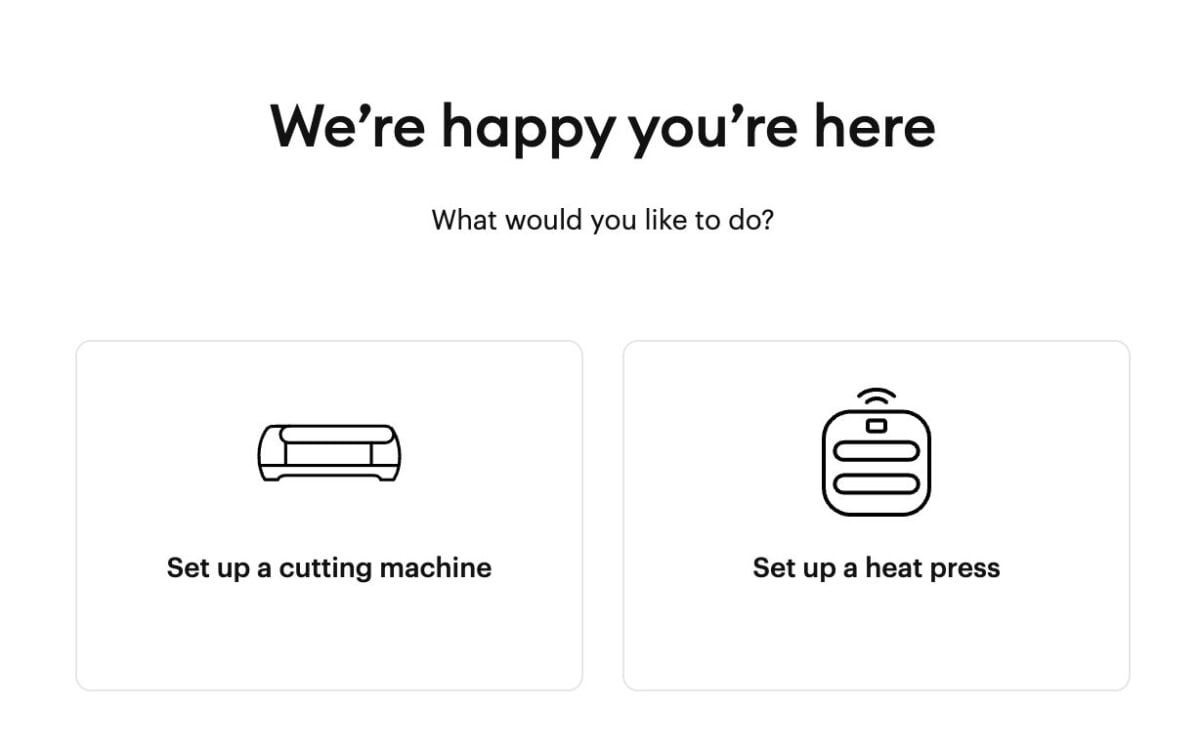
Follow the prompts and you’ll be ready to test cut in just a few minutes.
How Is Cricut Explore 5 Different Than Cricut Explore 4?
1. The New Body Design
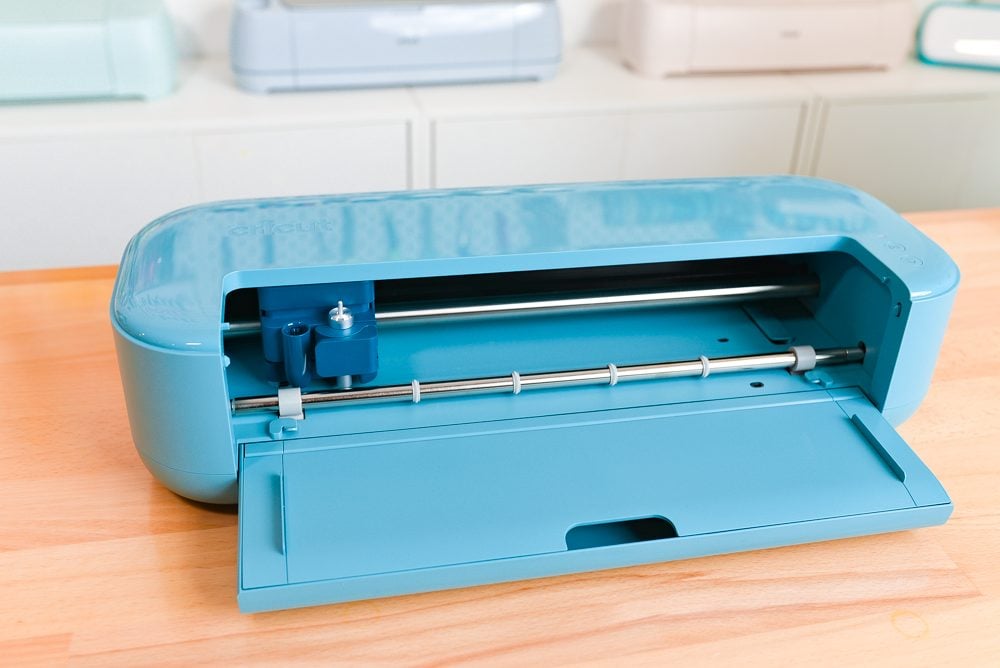
The most noticeable change is the completely redesigned body. The Explore 5 has a more open, modern look and a slightly smaller footprint compared to the Explore 4. It does not have a top lid, only a bottom tray. On paper, that sounds fine, especially if you’re working in a smaller craft space.
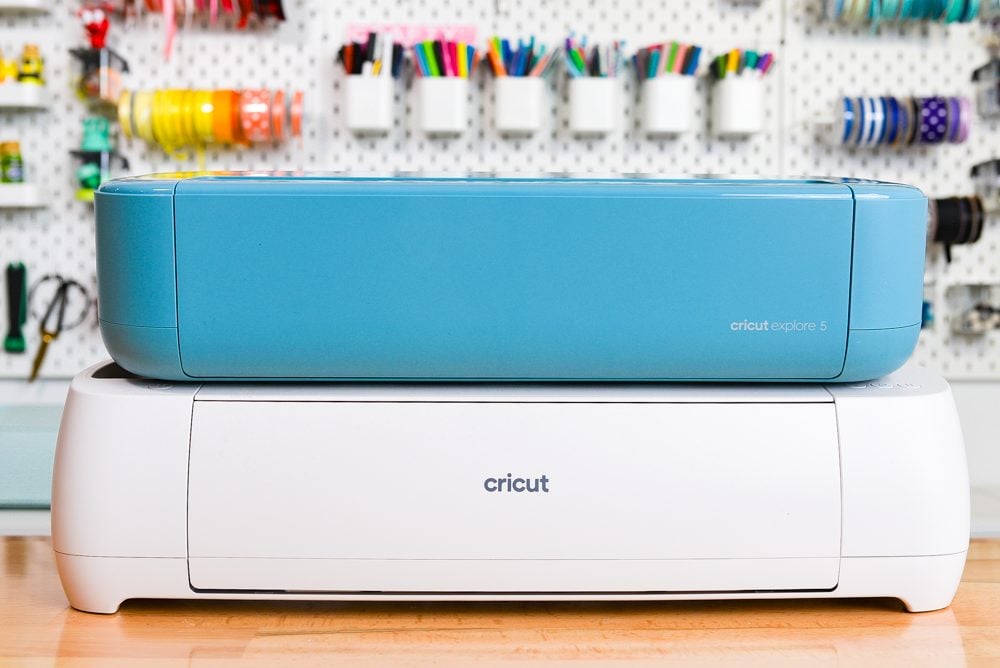
However…I don’t love it, unfortunately.
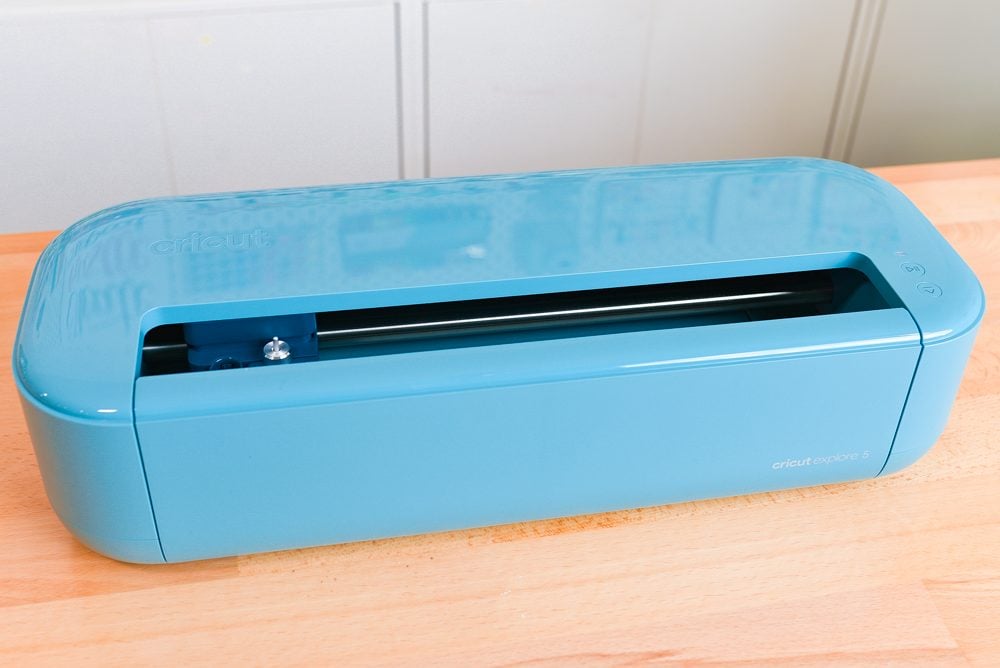
The top slot (?) of the case design makes me nervous about dust, glitter, and dog hair. I like how the older Explore machines were fully protected when closed. The sleek new body looks okay, but I do wonder how it will hold up long term in real-world craft rooms. I have a feeling I’ll spend more time cleaning this one than I have any of my other machines. I really just wish they’d found a way to close that slot!
2. Scoring Tool Changes
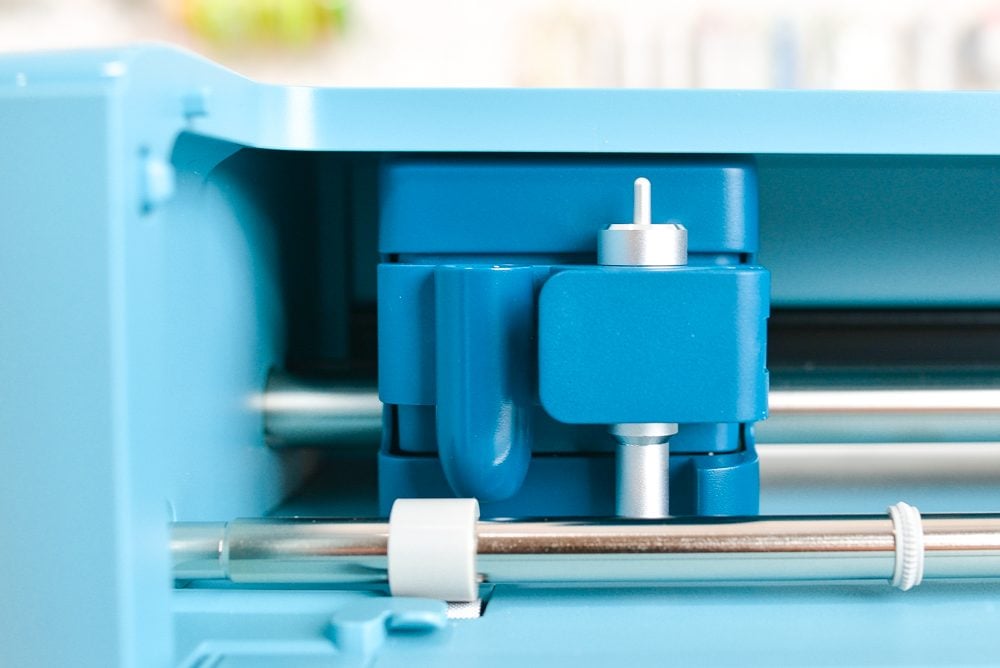
This is a functional change that’s easy to miss! With the Explore 4 (and earlier Explore machines), scoring was done using a Scoring Stylus that sat in Clamp A, separate from the blade in Clamp B. That meant the machine could score and cut in the same pass without you touching anything.
On the Explore 5, Cricut has changed this system. Instead of the old stylus setup, you’ll use the new Scoring Tool that comes with your machine. This tool sits in the same clamp as the blade (Clamp B), which means you’ll need to physically swap the blade and scoring tool during your project when prompted in Design Space. It’s not difficult—but it is an extra manual step compared to the Explore 4.
Again, not a change that I’m thrilled with.
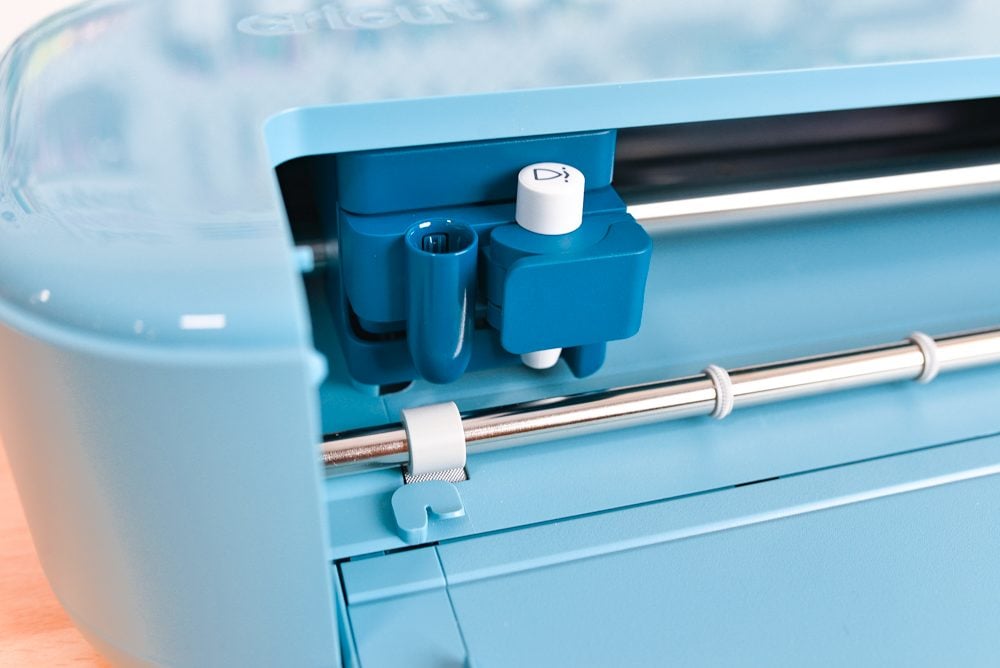
For occasional paper crafters, this probably won’t be a big deal. But if you do a lot of batch card production, boxes, or folded paper projects, you may notice the added hands-on time.
3. Pen Changes
The Explore 5 has a redesigned pen holder in Clamp A, and the new holder does not fit previous Cricut Explore pens.
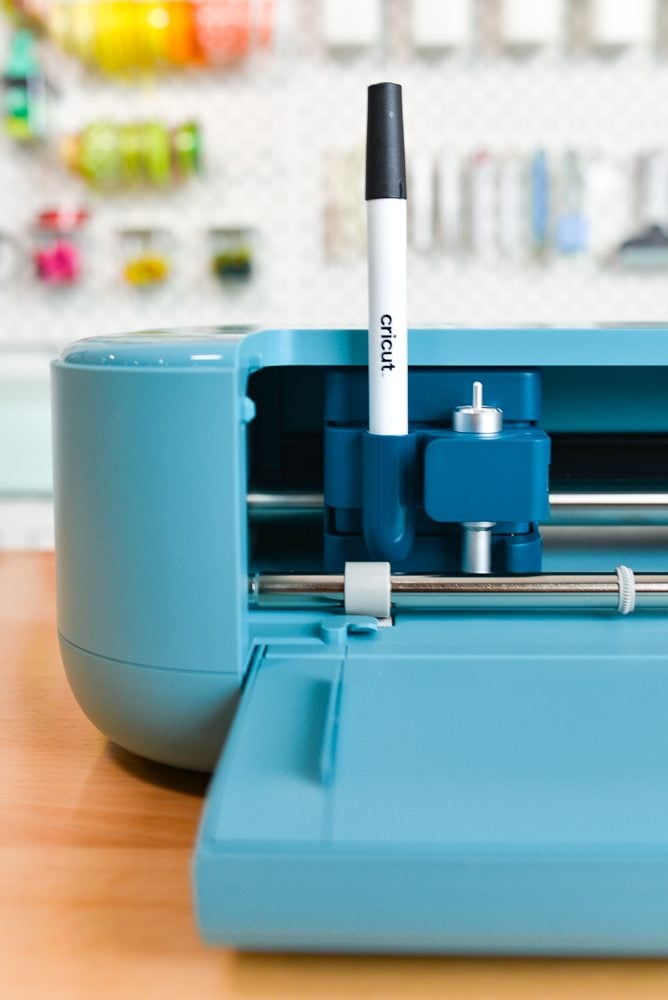
That means:
- Your current Cricut Explore pens will not fit directly into this machine.
- The older pen barrels are smaller in size from the new double-ended pens.
Cricut has indicated that there will be an adapter available so older pens can be used in the Explore 5. However, at the time of my review, that adapter is not yet available. So right now, if you own a stash of Cricut pens from your Explore 4 (or earlier), you won’t be able to use them in the Explore 5 without that adapter.
Again…not a change I love. I think this machine should’ve included the adapter.
3. Tool Storage Has Changed
Another difference is the tool storage setup. On the Explore 4 (and earlier Explore models), there was a small tool cup built into the left side of the machine. It wasn’t huge, but it was convenient for holding pens or a weeding tool while you worked. The Explore 5 no longer has that built-in tool cup.
The storage inside the fold down door has also been simplified. The compartment is actually a bit larger overall, which is nice if you like tossing in tools or blades. However, it’s less structured than before. There is no longer a designated spot in the door specifically for extra housings. In previous models, you had those little molded slots that kept everything neatly in place. Now it’s more of an open storage space.
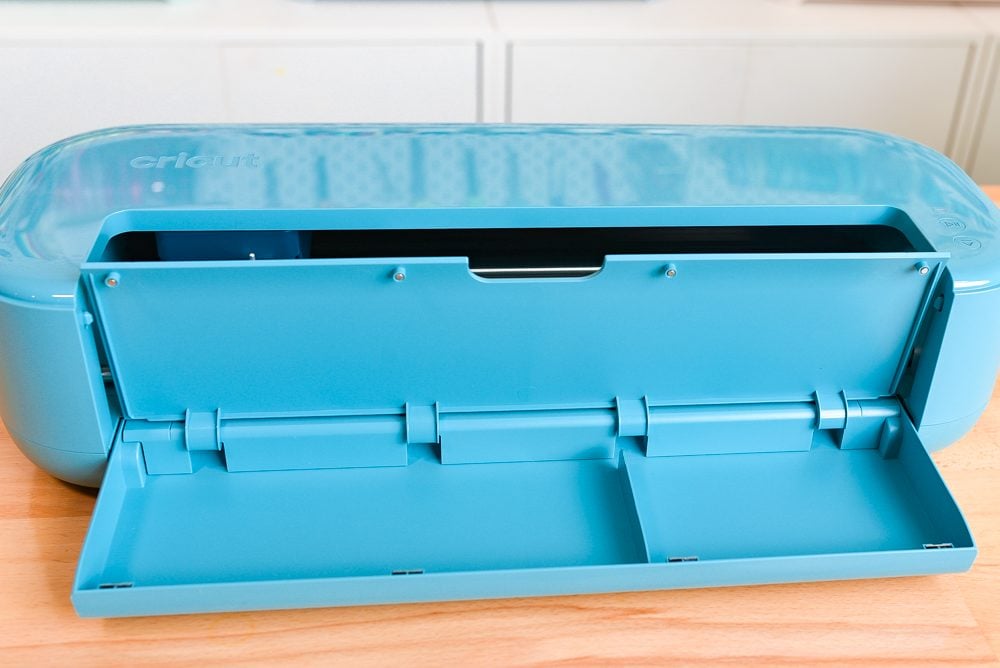
Some people will love the flexibility of the larger compartment. Others (especially organized crafters) might miss the clearly defined blade holders and tool cup. It’s not a dealbreaker by any means — just another small design shift that shows Cricut simplified the overall build with this generation.
4. The Price
This is a big one. Cricut clearly worked to get the pricing down on these machines.
- Explore 5 machine only: $199
- Explore 5 Essentials Bundle: $249 (the bundle I am reviewing)
Dropping the standalone machine to $199 (vs. $249 for the Explore 4) makes the Explore line much more competitive and accessible to beginners who want a full 12″ cutting machine but don’t want to jump to a Maker. That $50 difference matters—especially for hobby crafters on a tighter budget. I do really appreciate that Cricut has gotten the price down, making this machine accessible to more crafters.
What Tools and Mats Work with Cricut Explore 5?
One of the biggest questions with any new machine launch is compatibility. The good news? If you’re coming from the Explore 4 (or earlier Explore models), almost everything you already own will continue to work.
- Fine-Point Blade – Cuts vinyl, iron-on, cardstock, sticker paper, and more. You may get the original blade and housing that are separate, or you might get a single unit.
- Deep-Point Blade – For thicker materials like chipboard and magnet sheets
- Foil Transfer Tool – Adds foil accents without heat
- Scoring Tool – New system that sits in the same clamp as the blade (swap tools during scoring projects)
- Cricut Pens & Markers – The new universal pens will work, but you’ll need an adapter for your older pens.
- Cutting Mats – All standard 12″ x 12″ mats: LightGrip, StandardGrip, StrongGrip, FabricGrip
- Card Mat – Included in the box; makes two cards at once
The Cricut Explore 5 not support: Maker-exclusive tools like the Knife Blade, Rotary Blade, or other gold-gear tools.
What Can I Make with the Cricut Explore 5?
The Cricut Explore 5 is still one of the most versatile machines in the Cricut lineup!
You can create:
- Printable stickers (including waterproof stickers)
- Print Then Cut labels and planner accessories
- Adhesive vinyl decals for mugs, tumblers, windows, and cars
- Iron-on designs for shirts, sweatshirts, and tote bags
- Paper flowers, cake toppers, and party decor
- Home decor like wall decals and stencils
- And so much more!
Let’s Talk About Price and Quality
Since I got my first Cricut Explore back in 2014, Cricut has positioned itself as a premium brand. The machines were sturdy, weighty, and priced accordingly. Over the past few years, though, crafting budgets have shifted. It seems clear that Cricut is trying to balance affordability with performance.
Lowering the machine price to $199 makes the Explore 5 more accessible. That likely explains the lighter build and design changes—we’re probably seeing some manufacturing cost adjustments in this machine. For example, it doesn’t have a moving lid, which (I assume) reduces manufacturing costs.
Does it feel exactly like the older, heavier Explore machines? No. Does it still cut accurately and perform well? Yes, it does. For many crafters, that trade-off will be worth the lower entry price.
Is the Cricut Explore 5 Worth It?
If You’re New to Cricut
While I don’t love the new body case and some of the other changes, I do think that the lower price will be worth it for a lot of crafters (especially if you get the Essentials Bundle with all of the tools that are included). If you want a full-size 12″ cutting machine with Print Then Cut and wide material compatibility, the Explore 5 is a decent machine. It gives you far more capacity than the Joy line while staying well below Maker pricing.
I do think we’re going to see prices dropping on the Explore 3 and Explore 4 machines, so you may also choose to grab one of those instead. I think Cricut is working toward more compatibility across its machine lines, and the Explore 5 and Joy 2 are the first in line to move that direction.

Overall though, it’s really a toss-up between getting the Explore 5 or an older Explore 4 or Explore 3. I’d be interested to see how Cricut expands this newer line in the next year or two.
If You Already Own the Explore 4
Honestly? You are not gaining new cutting power or tool capabilities. The core functionality is essentially the same. You are getting:
- A new body design that might attract more dust
- A slightly smaller and lighter footprint
- A scoring tool that’s a bit fussier than the older machines
- A pen holder that’s not backward compatible
- A lower retail price, which doesn’t matter if you already have a machine
So if your Explore 4 works perfectly and you’re happy with it, there is really no reason to upgrade.
Bottom line: The Cricut Explore 5 might be worth it for new Cricut owners just getting into the overall Cricut ecosystem. But if your earlier Explore still meets your needs, keep on crafting with what you have!


Comments & Reviews
Global Mapper says
Great breakdown of the features! Would you say this Explore model is the absolute best choice for a complete beginner, or should they start with something smaller? – global mapper
Vidal Kerluke says
Issues like the lack of backward compatibility for pens and a more cumbersome process can make veteran users feel like the experience has actually regressed – similar to how frustrating changes can impact long-time players of top games.