Updated for 2026! Get our printable Cricut Cheat Sheets covering Design Space, blades, mats, and the new combine tools.
If you have ever sat in front of Cricut Design Space wondering what half the tools even do, we want you to know something: you are so not alone! We hear it from makers all the time. Design Space is powerful, but it can also feel like a lot, especially when you just want to get to the fun part and start creating.
That is exactly why we originally created our Cricut Cheat Sheets, and why we just gave them a big update for 2026!
What Are the Cricut Cheat Sheets?
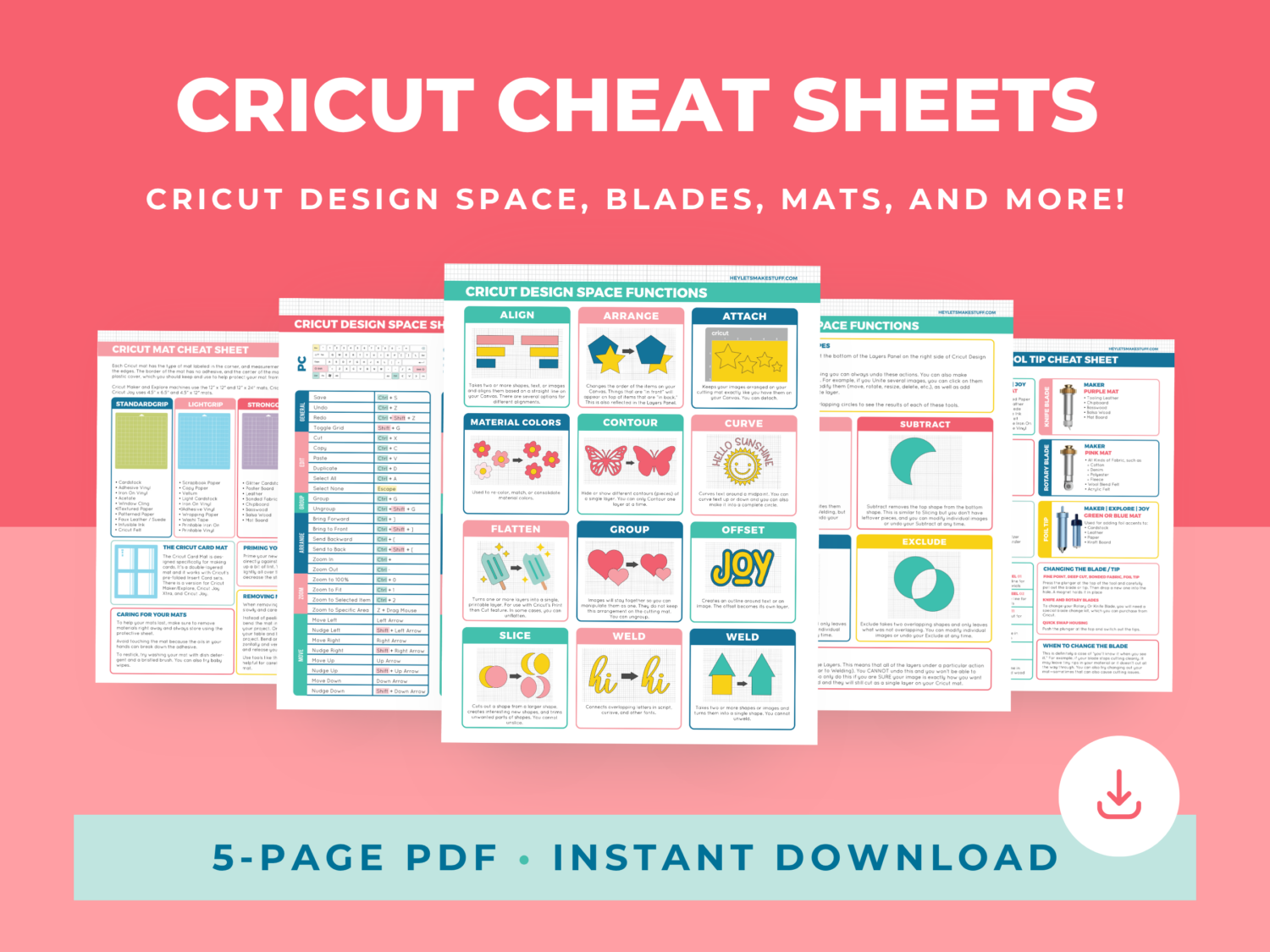
Think of these as your Cricut cheat codes. It is a printable set of 5 reference pages covering everything from Design Space tools to blade selection, so you always have the answers right at your fingertips instead of digging through old tutorials or scrolling through Facebook groups at 11pm.
Here is what is inside:
- Cricut Design Space Functions (2 pages): A simple, colorful visual guide to the most popular tools in Design Space. No more guessing what a button does before you click it.
- Cricut Design Space Shortcuts: Keyboard shortcuts that help you fly through your projects instead of hunting through menus.
- Cricut Mat Cheat Sheet: Never grab the wrong mat again. This page also covers how to remove materials safely and how to keep your mats sticky and ready to go.
- Cricut Blade and Tool Cheat Sheet: A clear breakdown of every blade and tip for your Cricut Explore, Maker, or Joy, plus what each one is actually meant to do.
Who These Cheat Sheets Are For
Honestly, we think every Cricut owner can use these, but they are especially handy if:
- You are brand new to your Cricut and Design Space still feels like a foreign language
- You have been crafting for a while but always second guess which blade to use
- You want a quick answer instead of pausing a video to figure something out
- You are a visual learner who does better with pictures than paragraphs of instructions
Why We Updated Them
Cricut has added new features over the years, and the combine tools are a great example. Unite, Subtract, Intersect, and Exclude open up so many creative possibilities once you understand how they work together, but they can also be confusing if nobody walks you through them. We wanted our cheat sheets to reflect what Cricut owners are actually using in 2026, not just what Design Space looked like a few years ago!
How to Use Your Cricut Cheat Sheets
Once you download your PDF, you can print all 5 pages and keep them near your workspace, slide them into a binder or folder with your other craft references, or even laminate them so they hold up to glitter, glue, and everyday crafting life!
Grab Your Copy!
These cheat sheets are one of our favorite resources because they take something that feels overwhelming and turn it into something simple. Whether you are cutting your first project or your five hundredth, having quick answers on hand just makes crafting more fun.


Leave A Reply!